
Know how secure your Linux computer is. Fix it with changes you can undo.
IbexWall checks your system, explains what to improve in plain words, and applies each change only after you have reviewed it. It is free, open source, and it never phones home.
Version 1.0 is in preparation. Follow the project on GitHub.
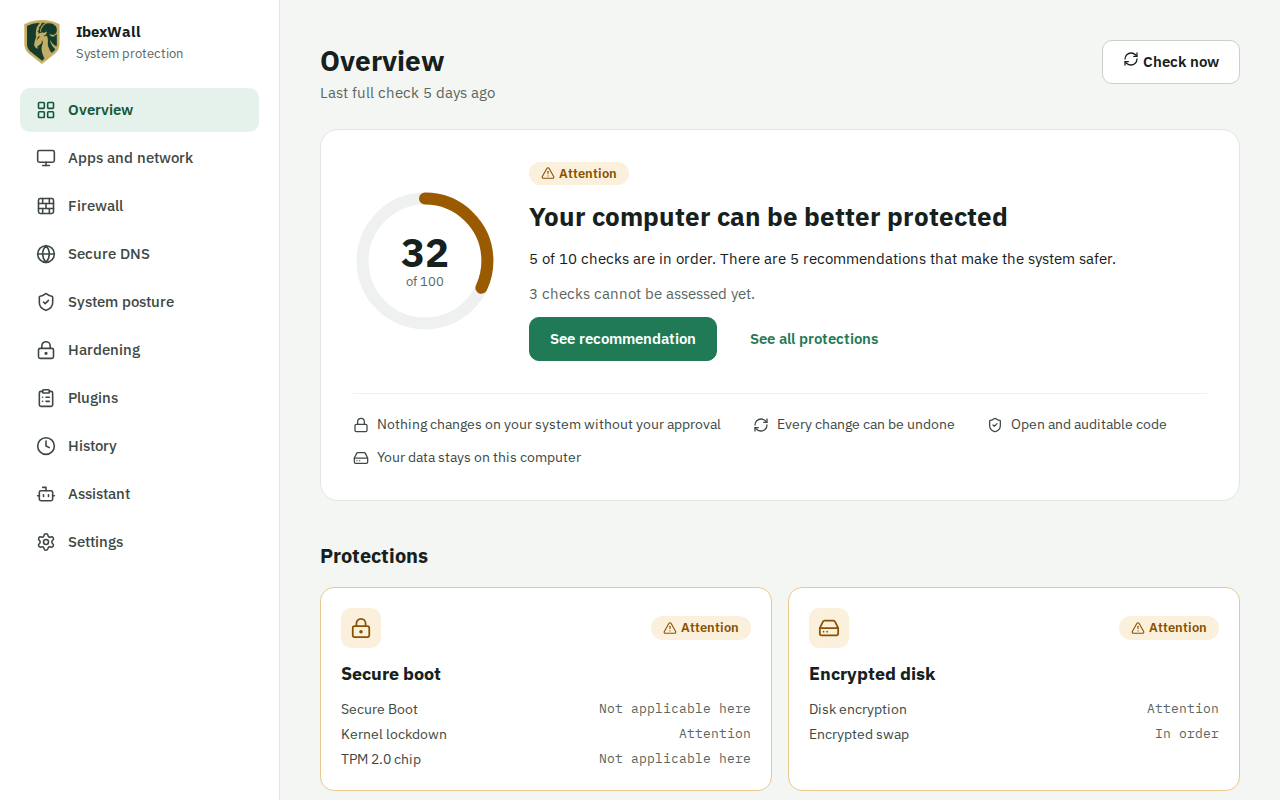
Three promises
Review first
Every change starts as a plan: the exact files, firewall rules and services it touches, and what could break. Nothing is applied until you say so.
Undo any time
A snapshot is taken before each change. History shows what changed and puts it back. A change that could cut your network undoes itself unless you confirm.
Nothing leaves your computer
No telemetry, no account, no analytics. IbexWall talks to the network only when you ask it to.
What it does
A score you can read
Checks for disk encryption, Secure Boot, the firewall, open ports, updates, SSH and more, each with a plain explanation of what it means and what to do.
Hardening, one tick at a time
26 kernel, network, file system and module settings, each explained with what it protects and what it can break. Tick the ones you want and apply them in one plan.
A firewall and per-program control
Close what should not listen, and decide which programs may reach the network. IbexWall asks the first time a new program connects.
Encrypted DNS
Lookups leave your computer encrypted, with tracker and malware blocking. If you already run dnscrypt-proxy, IbexWall recognises it and leaves it alone.
Connect an AI assistant safely
Let an assistant read your status and suggest changes. It can never apply one: you review every proposal.
Plugins with visible permissions
Thirty-two signed plugins, each in its own sandbox. You can see what each one reads and what it may change.
How it works
Check
IbexWall reads your system. It changes nothing while it looks.
Plan
Pick a fix. You see the files, rules and services it would touch, and what could break.
Apply
A snapshot is taken, the change is made, and risky ones wait for your confirmation.
Undo
History puts back exactly what was there before, whenever you want.
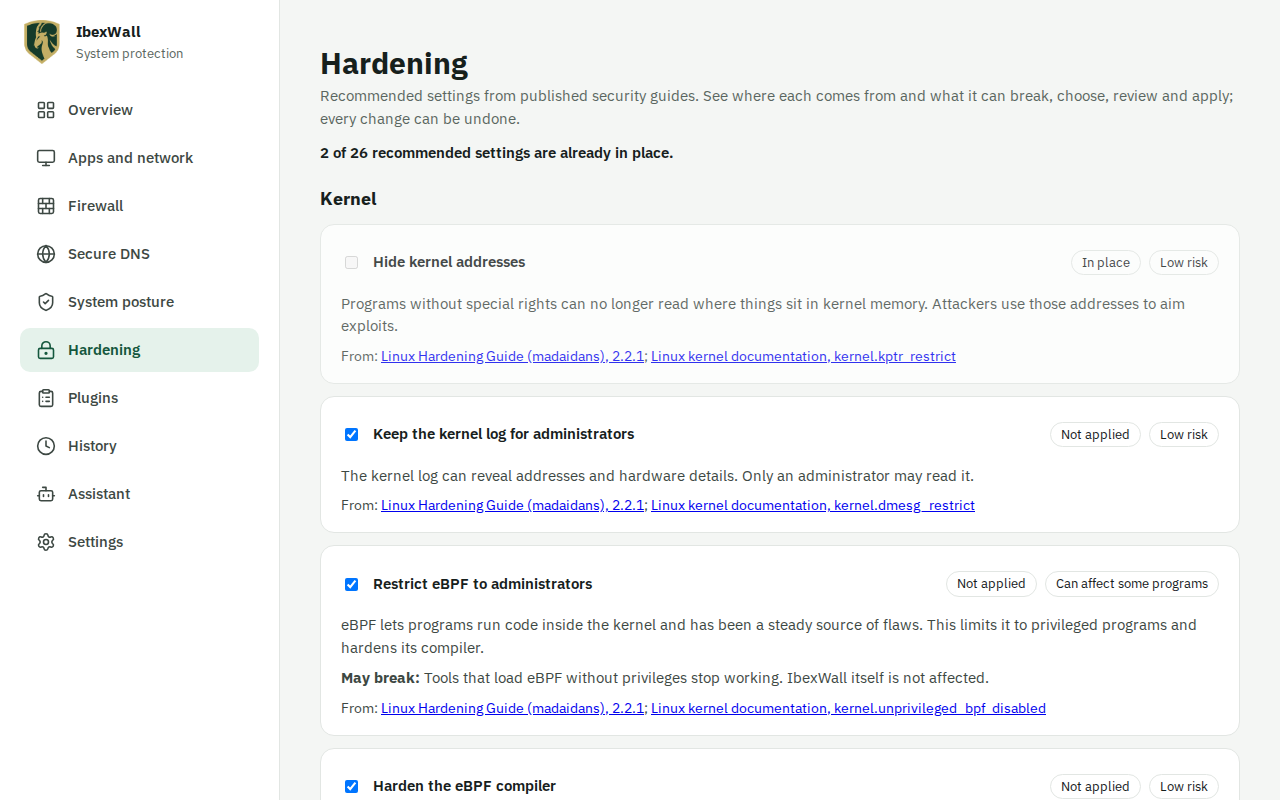
Every setting, explained
One page for each hardening setting: why it matters, how it works, who should use it, what you may notice, and how to apply it by hand or with IbexWall.
Built to be trusted
Open source
GPL-3.0-or-later. Read it, build it, change it.
Signed and traceable
Releases carry checksums, signatures, a bill of materials and a provenance statement, and the build can be reproduced.
Tested where you run it
Fedora, Ubuntu, Debian and Arch, each in a virtual machine for every release.
Confined
AppArmor profiles and an SELinux module keep the resolver, the assistant server and the plugins to what they need.
Your language
English, Portuguese, Spanish, French and German, following your system language.
Guides
-
Connect an AI assistant to your Linux computer, safely
What MCP is, what an AI assistant can read, plan and propose through IbexWall (never apply), how keys and presets limit it, and the risks to know first.
-
Disk encryption on Linux: LUKS, TPM2 unlock, swap and sleep
What LUKS disk encryption protects against, how LUKS2 and TPM2 auto-unlock trade convenience for safety, the swap and hibernation gap, and how to check.
-
DNS over TLS and DNS over HTTPS explained, and how to check
Plain DNS shows every site you visit to your network. See what DoT and DoH change, how to pick a resolver, the captive portal catch and how to test yours.
Questions
Does IbexWall send data anywhere?
No. There is no telemetry, account or analytics. The program only uses the network when you ask it to, for example for a DNS lookup you make or a package update you run.
Can it break my system?
Every change is a plan you review, with a snapshot taken first and an undo in History. Changes that could cut your network wait for your confirmation and undo themselves if you do not give it.
Which systems does it support?
Fedora, Ubuntu 24.04 and 26.04, Debian and Arch Linux. Each release is tested in virtual machines on all of them.
Does it replace my firewall?
No. If you use ufw or firewalld, IbexWall works through it. It keeps to its own rules and files and never edits the ones your distribution or another program owns.
Is it free?
Yes. It is free software under the GPL-3.0-or-later license.